


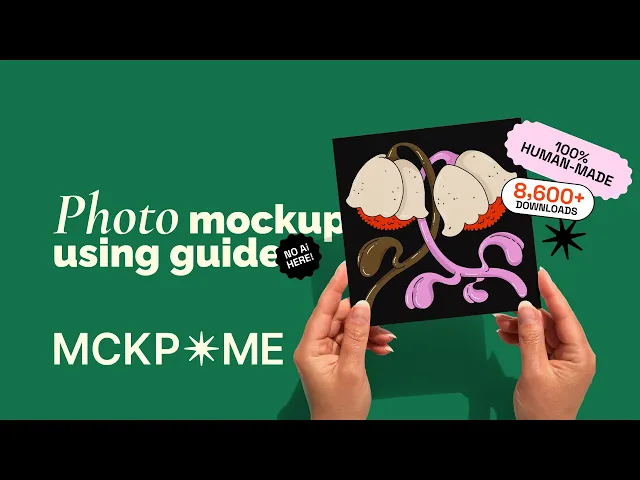
US A2 hand holding greeting card mockup


EU Din A
Greeting gard mockup
For those who believe good design deserves to feel real.
This mockup is 100% made by human, using real paper, real hands, and genuine textures.
* 1 PSD file (Adobe Photoshop format)
* 1 JPG file preview
* 1 PDF document with a detailed explanation of how to use mockups
Advantages of the set:
* Changeable background color
* High-resolution / 300DPI image / min 3000px
* Photorealistic mockup: no Ai here
Product nr:
1.0-101 SINGLE
Instant digital download
Commercial licence included
100% real photography, no AI
More views


How to use this mockup
1. Unzip and open
Your download arrives as a zip folder. Double-click it to extract the mockup files. Inside you'll find PSD files (the mockups you apply your design to), JPEG previews of each one, and a PDF with a short version of this guide. A few sizes are usually included, so pick the one you need and open it in Photoshop.
2. Find your way around
Each file is organised into folders on separate layers. The "Card" folder is where you apply your design, and "Background" lets you pick a background colour. Depending on what you bought, there may be extra folders too.
3. Add your design
Open the Card folder and double-click the card design layer's icon. Your design opens in a new window, drag and drop your artwork onto the card and resize it to cover the space, then save and close that window. Your design now appears on the mockup.
4. Change the background colour
Select the background colour layer and double-click its icon, then choose the colour you want and hit OK.
5. Export
Export your image and it's ready to use, on your listing, your website or wherever your design needs to shine.
Keep Exploring


Need more for your store?
We shoot custom mockups for brands, businesses and online stores.